
Blog
How to Install Webteck – IT Solution & Technology WordPress Theme | Step-by-Step Tutorial

Dec
In this video, you will learn how to install Webteck – IT Solution and Technology WordPress Theme step by step. This beginner-friendly tutorial is perfect for anyone who wants to create a professional IT company website, technology business site, software firm website, or digital agency portfolio using the Webteck theme.
Webteck is a modern and powerful WordPress theme specially designed for IT services, technology companies, SaaS businesses, startups, consulting firms, and software agencies. It offers a clean layout, fast performance, and easy customization with Elementor, making it an excellent choice for both beginners and professionals.
Buy Now Wpwar GPL : https://wpwar.com/product/webteck-it-solution-and-technology-wordpress-theme/
Youtube Setup Video : https://youtu.be/M4b4qTr_UvE
🔹 What Is Webteck WordPress Theme?
Webteck is a premium IT Solution & Technology WordPress Theme built to showcase services, projects, teams, and business solutions in a professional way. It includes ready-made demos, service sections, contact forms, and modern UI elements that help build trust with clients.
🔹 What You Will Learn in This Video
✔ How to download Webteck WordPress theme
✔ How to upload and install the theme
✔ How to activate Webteck theme
✔ How to install required plugins
✔ How to import demo content
✔ Basic theme customization using Elementor
✔ Tips for beginners
🔹 Step-by-Step Installation Guide
Step 1: Download the Theme
Download the Webteck theme ZIP file from ThemeForest or your official licensed source.
Step 2: Login to WordPress Dashboard
Go to yourdomain.com/wp-admin and log in to your WordPress admin panel.
Step 3: Upload the Webteck Theme
Navigate to Appearance → Themes → Add New → Upload Theme.
Choose the Webteck ZIP file and click Install Now.
Step 4: Activate the Theme
Once installation is complete, click Activate.
The Webteck theme is now active on your website.
Step 5: Install Required Plugins
After activation, Webteck will recommend plugins such as Elementor, demo importer, and other required plugins.
Install and activate all recommended plugins for full functionality.
Step 6: Import Demo Content
Go to Webteck → Demo Import.
Choose a demo layout that fits your business and click Import.
This will automatically create pages, menus, and layouts.
Step 7: Customize Your Website
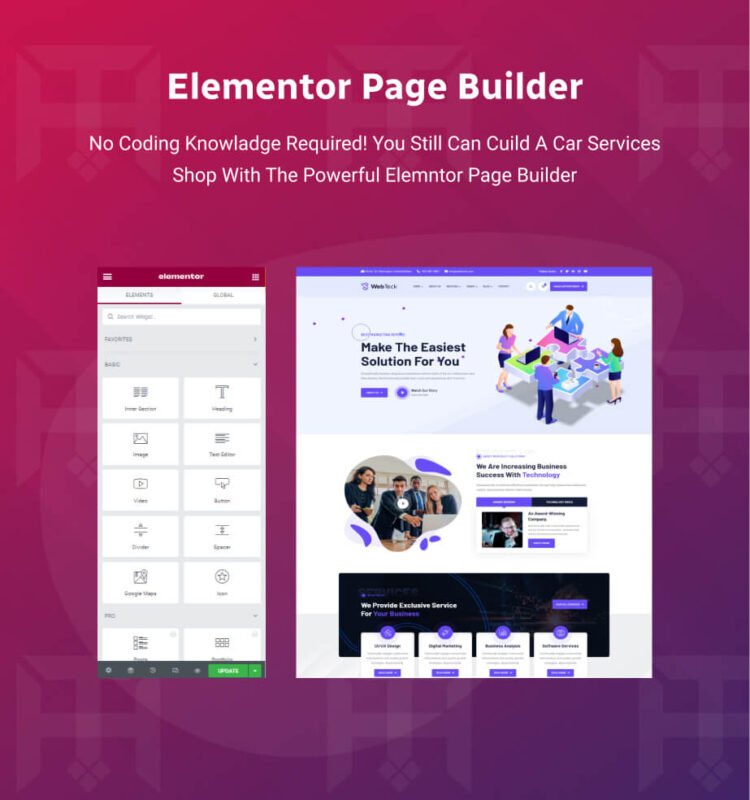
Edit pages using Elementor drag-and-drop builder.
You can customize:
Homepage layout
Services sections
Team members
Projects & portfolios
Contact page
Colors, fonts, and branding
No coding is required.
🔹 Why Choose Webteck?
✔ Professional IT & technology design
✔ Elementor page builder support
✔ One-click demo import
✔ Fully responsive & mobile-friendly
✔ SEO-friendly structure
✔ Fast loading performance
✔ Easy customization for beginners
✔ Ideal for business & corporate websites
🔹 Ideal Use Cases
IT solution companies
Software & SaaS businesses
Technology startups
Digital marketing agencies
Consulting firms
Corporate business websites
🔹 Performance & SEO
Webteck is optimized for speed and SEO, ensuring fast page loading and better search engine visibility. Its responsive design guarantees a smooth user experience across all devices.
By the end of this tutorial, you will have successfully installed and configured the Webteck – IT Solution and Technology WordPress Theme, ready to launch a professional business website.
If this video helped you, please LIKE 👍, COMMENT 💬, and SUBSCRIBE 🔔 for more WordPress tutorials and theme installation guides.
webteck wordpress theme, webteck theme installation, how to install webteck theme, it solution wordpress theme, technology wordpress theme, business wordpress theme, corporate wordpress theme, elementor wordpress theme, wordpress theme installation, webteck tutorial, professional wordpress theme, responsive wordpress theme, seo friendly wordpress theme, wordpress theme for it company, software company wordpress theme, digital agency wordpress theme,