
Blog
How to Install Theme Junkie ReviewPro WordPress Theme | Step-by-Step Beginner Tutorial
Dec
In this video, you will learn how to install the Theme Junkie ReviewPro WordPress Theme step by step. This beginner-friendly tutorial is perfect for anyone who wants to create a product review website, affiliate marketing blog, or niche content site using ReviewPro.
ReviewPro is a premium WordPress theme developed by Theme Junkie, specially designed for review-based and content-focused websites. It offers a clean layout, built-in review functionality, SEO-friendly structure, and fast loading performance, making it an excellent choice for bloggers, affiliate marketers, and online publishers.
🔹 What Is Theme Junkie ReviewPro?
ReviewPro is a professional WordPress theme built for review and comparison websites. It allows you to add ratings, review summaries, pros and cons, and structured content that helps visitors make informed decisions. This theme is ideal for tech reviews, product comparisons, software reviews, and affiliate marketing websites.
Buy Now Wpwar GPL : https://wpwar.com/product/theme-junkie-reviewpro-wordpress-theme/
Youtube Setup Video : https://www.youtube.com/watch?v=SbS0RGhTgu8
🔹 What You Will Learn in This Video
✔ How to download ReviewPro WordPress theme
✔ How to upload and install the theme
✔ How to activate ReviewPro
✔ How to install recommended plugins
✔ Basic theme customization
✔ How to create review posts
✔ Beginner tips for SEO and performance
🔹 Step-by-Step Installation Guide
Step 1: Download the Theme
Download the ReviewPro ZIP file from the official Theme Junkie website or your licensed source.
Step 2: Login to WordPress Dashboard
Go to yourdomain.com/wp-admin and log in to your WordPress admin panel.
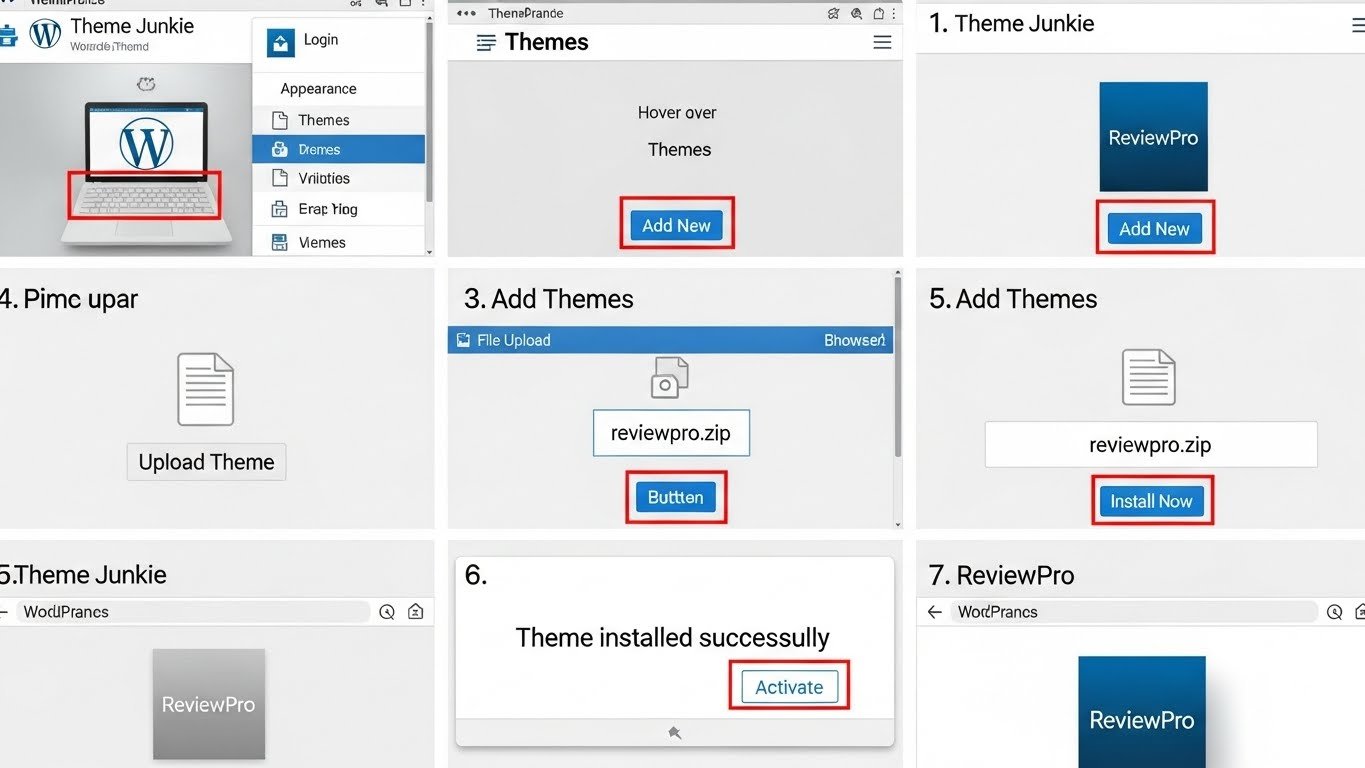
Step 3: Upload the ReviewPro Theme
Navigate to Appearance → Themes → Add New → Upload Theme.
Choose the ReviewPro ZIP file and click Install Now.
Step 4: Activate the Theme
Once the installation is complete, click Activate.
The ReviewPro theme is now live on your website.
Step 5: Install Recommended Plugins
After activation, ReviewPro may suggest some plugins.
Install and activate all recommended plugins to ensure full functionality.
Step 6: Customize the Theme
Go to Appearance → Customize.
From here, you can change your logo, colors, fonts, layout options, and homepage settings without writing any code.
Step 7: Create Your First Review Post
Go to Posts → Add New and write your review content.
Use the built-in ReviewPro options to add ratings, pros & cons, and review summaries.
🔹 Why Choose ReviewPro?
✔ Clean and professional review layout
✔ Built-in review and rating system
✔ SEO-friendly and fast loading
✔ Fully responsive design
✔ Easy customization for beginners
✔ Perfect for affiliate marketing
✔ Mobile-friendly and modern UI
🔹 Ideal Use Cases
Affiliate marketing websites
Product review blogs
Tech & gadget review sites
Software and service reviews
Niche blogging websites
Beginner WordPress users
🔹 SEO & Performance Benefits

ReviewPro is optimized for search engines and speed, which is crucial for ranking review articles on Google. Its clean structure and responsive layout help improve user experience and conversion rates.
By the end of this tutorial, you will have successfully installed and set up the Theme Junkie ReviewPro WordPress Theme, ready to publish professional review content and start monetizing your website.
If this video helped you, please LIKE 👍, COMMENT 💬, and SUBSCRIBE 🔔 for more WordPress tutorials and theme installation guides.
theme junkie reviewpro, reviewpro wordpress theme, how to install reviewpro theme, reviewpro theme installation, theme junkie wordpress theme, wordpress review theme, affiliate marketing wordpress theme, product review wordpress theme, review blog wordpress theme, seo friendly wordpress theme, responsive wordpress theme, wordpress theme installation, wordpress tutorial for beginners,