
Blog
How to Install Oslim – Consulting & Finance WordPress Theme | Full Step-by-Step Tutorial

Dec
Welcome to this complete step-by-step tutorial on how to install the Oslim – Consulting & Finance WordPress Theme.
In this video, you will learn how to properly install, activate, and set up the Oslim WordPress theme on your website, including required plugins, demo import, homepage setup, and customization using Elementor.
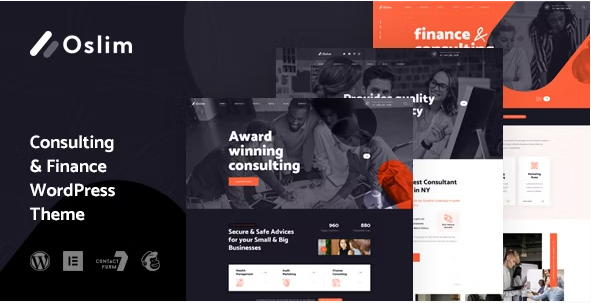
The Oslim WordPress Theme is a modern, clean, and professional theme designed specifically for consulting firms, finance businesses, corporate agencies, accounting companies, startups, and professional service providers. It comes with pre-built demos, Elementor page builder support, responsive layouts, and powerful theme options that make website creation fast and easy—even for beginners.
Buy Now Wpwar GPL : https://wpwar.com/product/oslim-consulting-finance-wordpress-theme/
Youtube Setup Video : https://www.youtube.com/watch?v=cf4ULOmou7U
🔹 What You’ll Learn in This Video
In this tutorial, I will guide you through:
✔ Uploading and activating the Oslim WordPress theme
✔ Installing all required and recommended plugins
✔ Importing demo content with one click
✔ Setting the homepage and menus
✔ Editing pages using Elementor page builder
✔ Customizing theme options like logo, colors, fonts, header, and footer
✔ Final website setup and important settings
This tutorial is perfect if you are new to WordPress or if you want to quickly build a professional consulting or finance website using a premium theme.
Step-by-Step Overview
First, we start by logging into the WordPress dashboard and uploading the Oslim theme ZIP file through the Appearance → Themes section. After activating the theme, WordPress will prompt us to install all the required plugins. These plugins are essential for Elementor layouts, demo content, and theme functionality.
Next, we move on to importing demo content, which allows your website to look exactly like the Oslim demo preview. This includes pages, menus, images, and layouts. With just one click, your site will be ready in minutes.
Then, we set the homepage and blog page correctly from the WordPress reading settings. After that, we customize the website using Elementor, where you can easily edit text, images, buttons, and sections without writing any code.
Finally, we explore the Theme Options panel, where you can upload your logo, change colors, typography, header style, footer layout, and other global settings to match your brand.
🔹 Why Choose Oslim – Consulting & Finance WordPress Theme?
Oslim is a powerful and flexible WordPress theme that offers:
Professional consulting & finance layouts
Elementor drag-and-drop page builder
One-click demo import
Fully responsive and mobile-friendly design
SEO-optimized structure
Fast loading performance
Custom header and footer options
Easy customization without coding
Whether you’re building a website for a business consultant, financial advisor, investment firm, or corporate agency, Oslim is a great choice.
🔹 Who Is This Video For?
This video is ideal for:
Beginners learning WordPress theme installation
Freelancers and web designers
Business owners creating their own website
WordPress developers
Anyone using ThemeForest WordPress themes
If you want a clean, professional, and modern business website, this tutorial will help you get started quickly.
🔹 Important Notes
⚠ Make sure you use the latest version of WordPress
⚠ Do not refresh the page while demo content is importing
⚠ Install all required plugins for full functionality
Oslim WordPress Theme, Oslim Consulting Finance Theme, WordPress Business Theme, Finance WordPress Template, Consulting Website Template, Oslim Theme Review, Oslim Theme Tutorial, Oslim Theme Features, WordPress Theme 2025, Best WordPress Themes, Responsive WordPress Theme, Oslim Theme Setup, Oslim Theme Demo, Oslim Theme for Business, Corporate WordPress Theme, Finance Website WordPress, WordPress Theme Guide, ThemeForest Oslim, Oslim Theme Installation, Oslim Customization, WordPress Theme Tips, Oslim UI UX