
Blog
How to Install Houzez – Real Estate WordPress Theme | Step-by-Step Tutorial for Beginners
Dec
In this video, you will learn how to install Houzez – Real Estate WordPress Theme step by step. This tutorial is perfect for beginners, real estate agents, brokers, and agencies who want to build a professional real estate website using WordPress.
Houzez is one of the most popular and powerful real estate WordPress themes, designed specifically for property listing websites. It includes advanced property search, Google Maps integration, agent and agency profiles, front-end property submission, and complete customization options.
Buy Now Wpwar GPL :https://wpwar.com/product/houzez-real-estate-wordpress-theme-3-4-4/
Youtube Setup Video : https://youtu.be/4R5WF_-C1js
🔹 What Is Houzez WordPress Theme?
Houzez is a premium real estate-focused WordPress theme created for real estate professionals. Whether you are selling properties, renting apartments, or managing a real estate marketplace, Houzez provides all the essential tools to manage listings and attract buyers.
🔹 What You Will Learn in This Video
✔ How to download Houzez WordPress theme
✔ How to upload and install Houzez theme
✔ How to activate the theme correctly
✔ How to install required plugins
✔ How to import demo content
✔ Basic theme setup and customization
✔ Tips for beginners
🔹 Step-by-Step Houzez Theme Installation
Step 1: Download the Theme
Download the Houzez theme ZIP file from ThemeForest or an official licensed source.
Step 2: Login to WordPress Dashboard
Go to yourwebsite.com/wp-admin and log in with your admin credentials.
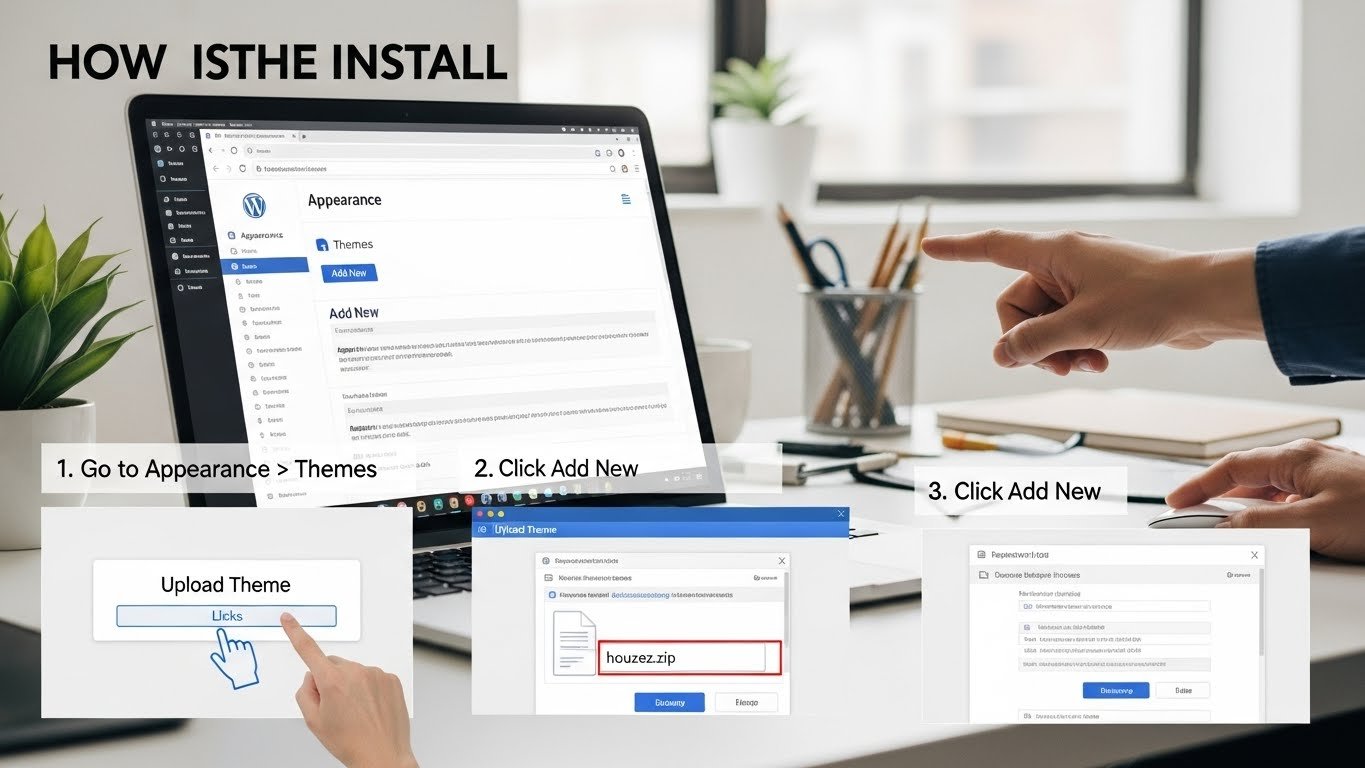
Step 3: Upload the Theme
Navigate to Appearance → Themes → Add New → Upload Theme.
Select the Houzez theme ZIP file and click Install Now.
Step 4: Activate Houzez Theme
Once installed, click Activate to enable the Houzez theme on your website.
Step 5: Install Required Plugins
After activation, Houzez will recommend essential plugins such as:
Elementor, Houzez core plugin, demo importer, and other required plugins.
Install and activate all recommended plugins.
Step 6: Import Demo Content
Go to Houzez → Demo Import.
Choose a demo layout and click Import.
This will automatically create pages, menus, property listings, and layouts.
Step 7: Customize Your Website
Use Elementor drag-and-drop builder to customize:
Property listing pages
Agent & agency profiles
Search filters
Colors, fonts, and branding
No coding knowledge is required.
🔹 Key Features of Houzez Theme
✔ Advanced property search & filters
✔ Google Maps & location search
✔ Front-end property submission
✔ Agent & agency management
✔ Multiple property listing layouts
✔ Elementor & WPBakery support
✔ Fully responsive design
✔ SEO-optimized structure
✔ Fast loading performance
🔹 Who Should Use Houzez?
Real estate agents
Property brokers
Real estate agencies
Property rental websites
Real estate marketplaces
Construction & housing companies
🔹 SEO & Performance
Houzez is built with SEO best practices and optimized performance to ensure faster page loading and better search engine rankings. Its mobile-friendly design ensures a smooth user experience across all devices.
By the end of this tutorial, you’ll have a fully functional Houzez real estate website, ready to list properties and attract clients.
If this video helped you, please LIKE 👍, COMMENT 💬, and SUBSCRIBE 🔔 for more WordPress tutorials and premium theme installation guides.
houzez wordpress theme, houzez theme installation, how to install houzez theme, real estate wordpress theme, property listing wordpress theme, houzez tutorial, wordpress real estate website, real estate website wordpress, themeforest houzez, wordpress theme installation,