
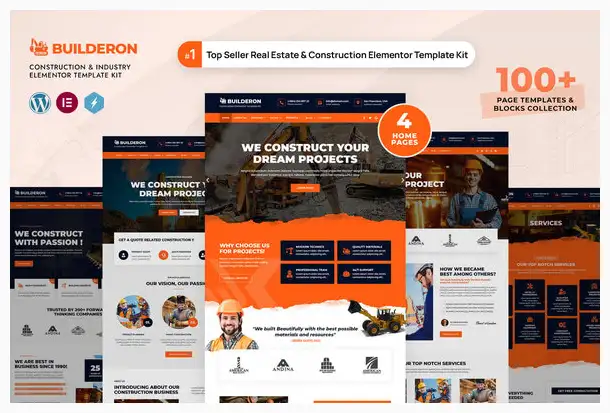
Builderon – Construction Business Elementor Template Kit
Original price was: $24.00.$5.99Current price is: $5.99.
Builderon is a versatile Elementor Template Kit designed for quickly building professional websites. It includes over 100 pre-designed templates and block elements, compatible with most Elementor-supported themes, and features an intuitive drag-and-drop interface.
Description
Builderon – Construction Elementor Template Kit is a comprehensive solution for quickly creating professional websites using the Elementor Page Builder plugin for WordPress. While optimized for the free Hello Elementor theme, it’s compatible with most themes that support Elementor.
The kit includes over 100 pre-designed page templates and block elements, making it easy to craft a professional-looking website. With Elementor’s intuitive drag-and-drop interface, you can effortlessly bring your ideas to life.
Highlighted Features Construction Business Elementor
- Modern & Professional Design
- 4 Homepage Templates
- 25+ Ready to use page Templates
- 75+ Ready to use Blocks Elements
- Shop Ready templates
- Fully Responsive Layout
- Speed optimized for Fast-loading
- Fully Customizable
- Works with most Elementor themes
- No Coding Required
Page templates included
Compatible Themes
- Hello Elementor
- Most of themes that compatible with elementor
Elementor Pro Features
- Header
- Footer
Required Plugins installed with kit
- Elementor
- ElementsKit Lite
- WooCommerce (for shop pages)
**Elementor Pro upgrade is required for some templates and features (not included)**
How to import Templates & Blocks
- You need to install a Template Kit Importer plugin to be able to import templates that have been downloaded from Envato. Install and Activate the “Template Kit Import” plugin from Plugins > Add New in WordPress
- Once the plugin is activated, go to Tools > Template Kit
- Click on Upload Template Kit ZIP File to browse to your builderon-construction-elementor-template-kit.zip file and Import.
- Builderon Template Kit preview will be appear. Click on View Installed Kit.
- An orange banner will be appear to install required additional plugins. Click Install Requirements buton.
- A popup will be appear listing the plugins needs to be installed and activated. Click Install Requirements to proceed.
- Start importing your templates and blocks by clicking the Import Template button.
Additional information
| Developer Name | Themeforest |
|---|---|
| Type Name | Elementor Templates Kit |
| Release Date | November 10, 2021 |
| License Type | GPL |
| Last Update | July 8, 2022 |
Reviews (0)
Only logged in customers who have purchased this product may leave a review.
Related products





Reviews
There are no reviews yet.